
Best HDMI 2.2 Cables for 8K Displays and High Refresh Rate Gaming
2026-11-20
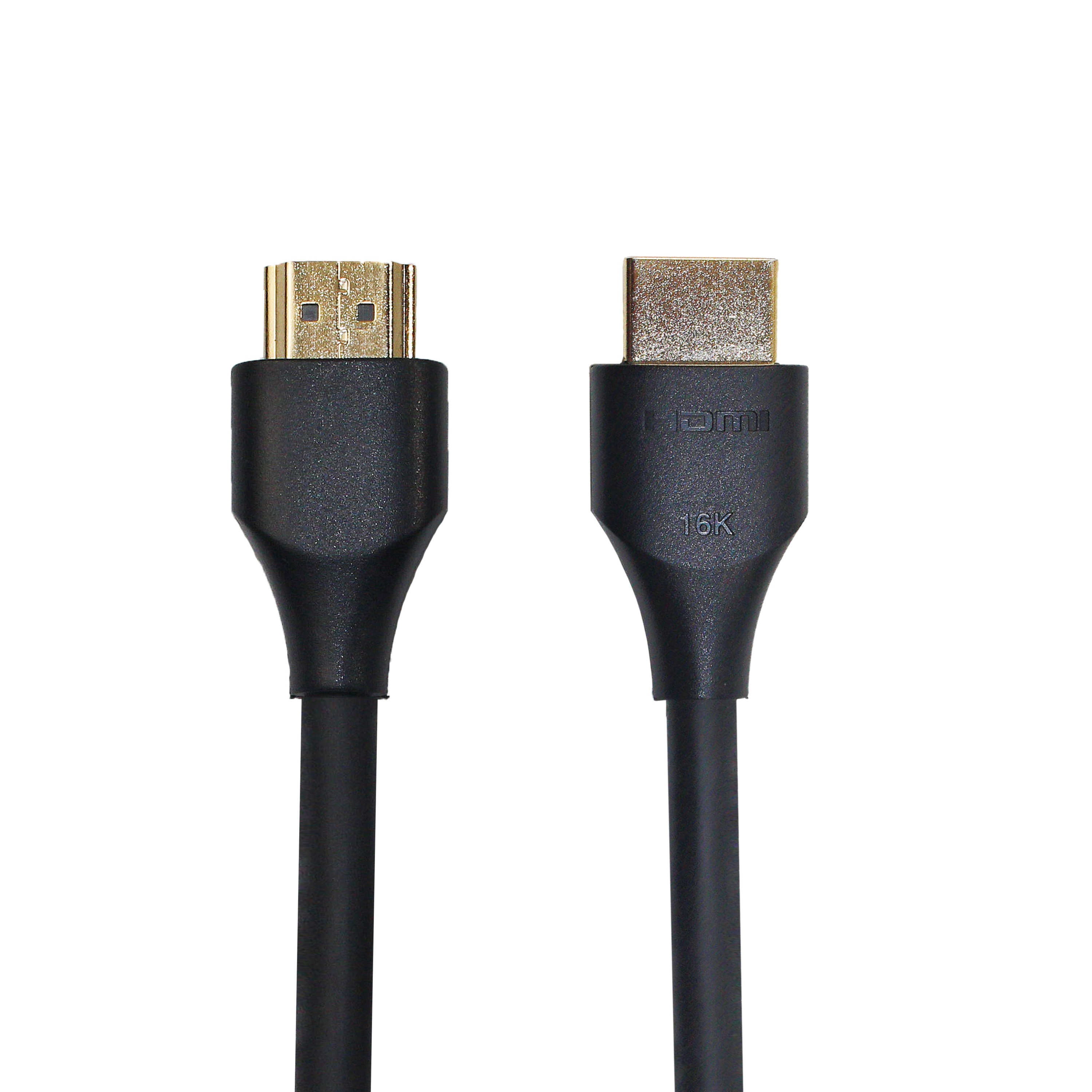
8K resolution and high-refresh gaming are no longer just spec-sheet fantasies—they're living room realities. The catch? Your old HDMI cable may quietly cap the experience before it starts. HDMI 2.2 raises the ceiling for bandwidth, but not every cable claiming the standard can actually hold up under real loads. In this guide, we cut through the marketing to highlight the cables worth your setup, including how EBCYX approaches durability and signal integrity for demanding 8K and high-frame-rate use.
Where HDMI 2.2 Bandwidth Actually Makes a Visible Difference
If you're watching a 4K Blu-ray or streaming a show, HDMI 2.2 won't suddenly sharpen the image. The extra bandwidth starts to matter when you push past the limits of HDMI 2.1—think 8K at 120Hz without dropping to 4:2:0 chroma subsampling, or 4K at 360Hz and beyond. On a large 77-inch OLED or a 32-inch high-refresh gaming monitor, those differences show up as cleaner motion, fewer compression artifacts around fine text, and smoother transitions in fast-paced scenes.
High frame rate gaming is the most obvious place. A 4K 240Hz monitor already saturated HDMI 2.1's 48Gbps in many cases, forcing the signal to use display stream compression. With 96Gbps, you can run 4K at 480Hz or 8K at 240Hz with less aggressive compression, which is visible in side-by-side tests as sharper UI elements, better shadow detail, and less ringing around high-contrast edges. It's not a huge leap in static images, but in motion it reads as noticeably cleaner.
The other place is large-format and professional displays. Video walls, mastering monitors, and high-resolution digital signage often need to drive panels with pixel counts beyond 8K, or multiple high-density screens from one output. With HDMI 2.2, a single cable can carry 10K at 120Hz or multiple 4K streams without splitting content across several inputs. That reduces syncing issues and keeps uniform brightness and color across the whole surface, which you can actually see as a more seamless image with less banding.
8K Resolution Meets High Frame Rates Without the Usual Trade-Offs
From the first slow pan across a detailed skyline, the usual tension between resolution and motion simply isn't there. Fine textures hold their edge while fast movement stays fluid, so you aren't forced to pick between crisp still frames and smooth action. That balance usually breaks down in sensor readout or processing pipelines, but here neither side gets starved.
High frame rates at 8K often come with aggressive compression or chroma shortcuts that quietly soften the image. This approach keeps color transitions and subtle gradients intact even when the camera is moving quickly. It shows up most in skin tones, fabric weave, and high-contrast edges, places where cheaper workflows tend to smear or band.
The real advantage is practical: you can shoot one format without hedging. Slow motion pulled from 8K footage still holds enough detail for a tight reframe, and full-resolution frames from the same timeline don't feel like a concession. Heat and data are still real constraints, but they don't set the creative limit the way they often do at this resolution.
Cable Length, Shielding, and the Signal Stability Problem
Longer cable runs quietly undermine signal integrity before any obvious failure shows up. Resistance and dielectric losses eat away at the signal amplitude, while parasitic capacitance rounds off edges and shifts timing. A pulse that leaves the driver clean can arrive at the far end as a smeared, attenuated shadow of itself, and the receiver must then decide between a one and a zero with a much narrower margin. Often the failure is not a hard fault but a pattern of intermittent errors that appears only when the machine warms up or when a nearby contactor switches.
Shielding is frequently treated as a safety net, yet it brings its own subtle failure modes. A foil or braided shield reduces electric-field coupling only when it has a clean, low-impedance path back to the reference ground. If the shield is grounded at both ends across equipment with different ground potentials, circulating current can flow along the shield and couple into the signal conductors through its transfer impedance. A frayed braid, a loose connector shell, or a floating drain wire can leave a shielded cable more vulnerable than an unshielded one because the extra hardware creates confidence without actually closing the coupling path.
The practical fix is rarely a single component. A short, well-routed unshielded run with proper termination will often outperform a long shielded run driven too hard from the source. When distance is unavoidable, conductor gauge, controlled impedance, and a single deliberate ground point for the shield usually matter more than adding layers of foil. Signal stability comes from preserving enough amplitude, edge definition, and timing margin at the receiver, and that is as much a layout and grounding decision as it is a cable selection problem.
Why Not Every “Certified” Cable Handles 48Gbps+ Gracefully
A certification badge doesn't mean the cable was pushed to its limits in a messy, real-world setup. Many pass in a short, straight bench test with clean power and carefully matched ports, but the same cable can fall apart once it's bent around a TV stand, stretched across a room, or asked to carry 48Gbps+ next to other cables. The signal has almost no headroom at these rates, so factors that look minor, like connector seating or slight differences in shielding, become visible as dropouts or sparkles.
Production drift also plays a bigger role than the label suggests. A manufacturer may send a carefully assembled sample for validation, then ship units with thinner traces, less consistent solder, or cheaper connectors. Passive cables that are fine at one or two meters often struggle at three meters or longer, and active cables introduce their own failure mode because they depend on the source port's power rail. If that rail dips under load, the cable doesn't simply stop working; it may pass a lower link rate or drop sync for a few seconds at random.
That's why a 'certified' cable still needs to be treated as one variable in the chain. Before blaming the GPU, TV, or AVR, swap the cable or test the exact resolution and refresh rate you intend to run. Pay attention to routing, avoid hard kinks, and if you need extra length, go active only from a brand that supports firmware updates and has a clear return policy. Otherwise the badge is just a starting point, not a guarantee.
Gaming Features That Depend on the Cable More Than You Think
It is easy to credit a monitor or graphics card for a clean 4K 144Hz image, but the cable quietly decides whether that signal survives intact. Many gaming setups use an older HDMI or a cheap DisplayPort lead that cannot handle the full bandwidth, so the screen drops frames, lowers color depth, or goes black for a few seconds during heavy scenes. Swapping to a properly rated cable often fixes issues that get blamed on drivers or thermal throttling.
Competitive players chase milliseconds, and a wired controller or mouse removes one variable that wireless connections can never fully erase: inconsistency. Even low-latency wireless modes face interference from routers, docks, and nearby Bluetooth devices, while a simple cable gives a steady polling rate and no battery-related performance drops. That is why many esports setups still keep a cable plugged in despite the freedom of wireless gear.
VR headsets and high-end racing wheels lean on cables for more than just data. A single USB-C connection often carries power, display signal, and tracking information at the same time, and a worn or under-spec cable can cause stutters, tracking drift, or random disconnects. In those cases, the cable is not a backup option; it is part of the core performance path.
Choosing a Cable That Outlasts Your Current Display Upgrade
Most people replace cables only after something stops working, which is a strange way to treat the one link every signal has to survive. If the current display upgrade pushes more bandwidth through the same physical connection, older cables often become the quiet bottleneck. Instead of treating cable choice as an afterthought, pay attention to how the connector seats, whether the jacket resists daily bends, and how well the internal shielding holds up near power bricks and crowded desk wiring.
A longer service life usually comes down to details that don't appear on the box: molded strain relief, adequate conductor gauge for the rated length, and connector plating that won't oxidize after a year in a humid room. It's also worth buying for the next setup rather than the current one. A cable that barely meets today's spec may fail the moment a higher refresh rate or a longer run enters the picture, so leave yourself a little headroom on bandwidth and build quality.
Finally, watch for signs before they become failures. If a cable only works when bent a certain way or if the connector fits loosely, replace it before it corrupts a signal at the worst time. The goal is a cable you install once and forget about, not one that becomes part of your troubleshooting routine every time a monitor flickers.
FAQ
The main upgrade is the cable's ability to carry more data without signal loss, which matters for 8K panels running at higher refresh rates. HDMI 2.2 cables are built around a higher bandwidth ceiling and stricter signal integrity requirements, so they are less likely to cause flickering, blank screens, or handshake issues when you push an 8K display past 60Hz. If your source and display are not HDMI 2.2 capable, the cable still works but you won't unlock those extra capabilities.
If your current cable is a certified Ultra High Speed HDMI cable, it may handle some 8K 60Hz signals, but high refresh 8K or 4K at very high frame rates can expose limits. HDMI 2.2 cables are built with more headroom and tighter tolerances. If you notice random signal dropouts or the display keeps negotiating a lower resolution, that is usually the cable telling you it cannot keep up.
For longer runs, yes. Copper starts to struggle beyond about 2 to 3 meters when you are pushing 8K at high refresh rates, while fiber optic cables maintain signal quality over much longer distances without being thick or stiff. For short desk setups, a well-shielded copper cable is often enough and costs less.
Ignore the version number on the packaging alone. Look for certification marks, a clear listed bandwidth, and real-world user reports about 8K high refresh setups. A cable that just says HDMI 2.2 compatible without certification might still be built with mediocre shielding or poor connectors. Buy from brands that provide testing details or give a solid warranty.
Not in the way people think. It won't sharpen the image or boost colors. The benefit is stability and headroom. If your current cable is causing sparkles, flickering, or HDMI handshake errors, a better-built cable can clean that up. On a 4K TV that is already working fine, an HDMI 2.2 cable is mainly future-proofing.
For copper cables, try to stay at or under 2 meters if you want the least chance of signal trouble. Between 2 and 3 meters can work if the cable is well shielded. Beyond 3 meters, go with fiber optic or an active cable solution. The goal is to keep the signal clean enough for 8K at 120Hz or higher, where timing errors become visible quickly.
Yes. Look for connectors with solid strain relief and good contact pins. Right-angle or slim connectors can help if your wall-mounted display or PC case leaves little space. The connector should seat firmly without wiggle, because loose connections at these bandwidth levels can cause intermittent black screens or audio dropouts.
It depends on your setup. If you connect a PC to an HDMI 2.2-capable OLED or mini-LED TV, the cable lets you push high refresh 8K or 4K at very high frame rates over one cable. For dedicated monitors, DisplayPort might still be more common, but HDMI 2.2 gives you more flexibility when switching between a TV and monitor or running long cable runs to a living room setup.
Conclusion
The real reason to pay attention to HDMI 2.2 cables is not the version number printed on the box, but how the cable behaves when bandwidth demands climb. An 8K display running at a high refresh rate stops being a spec-sheet flex once you push an uncompressed signal through a longer run. That is where thin conductors, weak shielding, and sloppy connector tolerances turn into visible dropouts, flickering, or a blank screen. A surprising number of cables labeled as certified fall apart past 48Gbps because certification tests often run on short samples under ideal conditions, not in the tangled path behind a media console. If the cable cannot hold signal stability at 3 meters or more, the extra bandwidth is meaningless in daily use.
Gaming features make this even more obvious. Variable refresh rate, auto low latency mode, and high-frame-rate 8K output all assume the link stays clean and consistent. A marginal cable might work during a slow menu screen and then introduce sparkles or handshake failures in the middle of a fast scene. Rather than chasing the cheapest option with a familiar logo, it makes more sense to pick a cable with genuine headroom, heavier gauge conductors, and solid shielding. That kind of choice tends to outlast your current display, so a display upgrade down the line does not force another cable replacement. In practice, the best HDMI 2.2 cable is the one you forget is there.
Contact Us
Contact Person: David Yang
Email: [email protected]
Tel/WhatsApp: 8615814734054
Website: https://www.ebcyx.com/